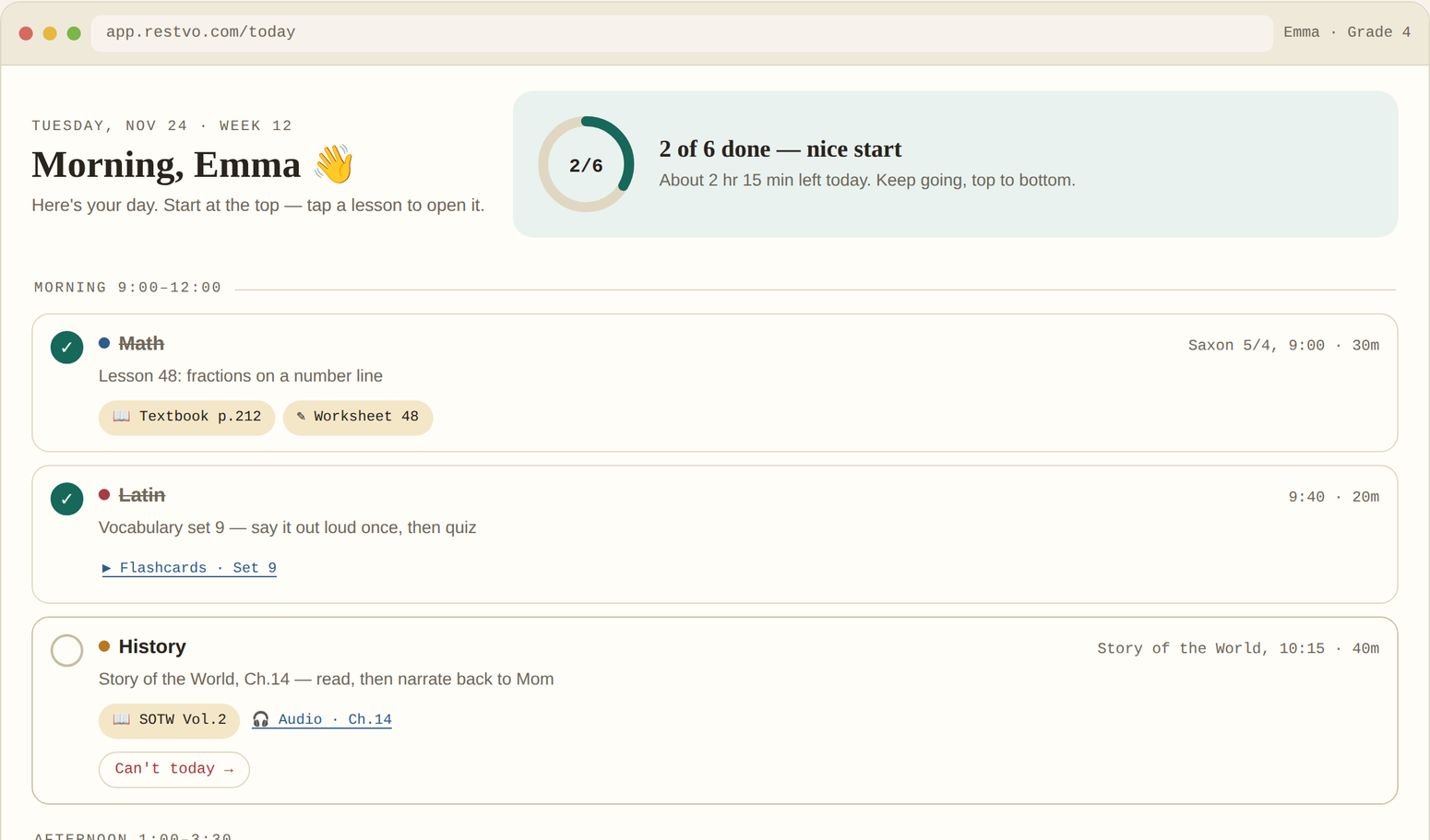
The student’s whole day, on one screen
Open the app and the day is simply there — planned in Studio Mode, delivered here. Three things a student can do with every lesson, and nothing they cannot.
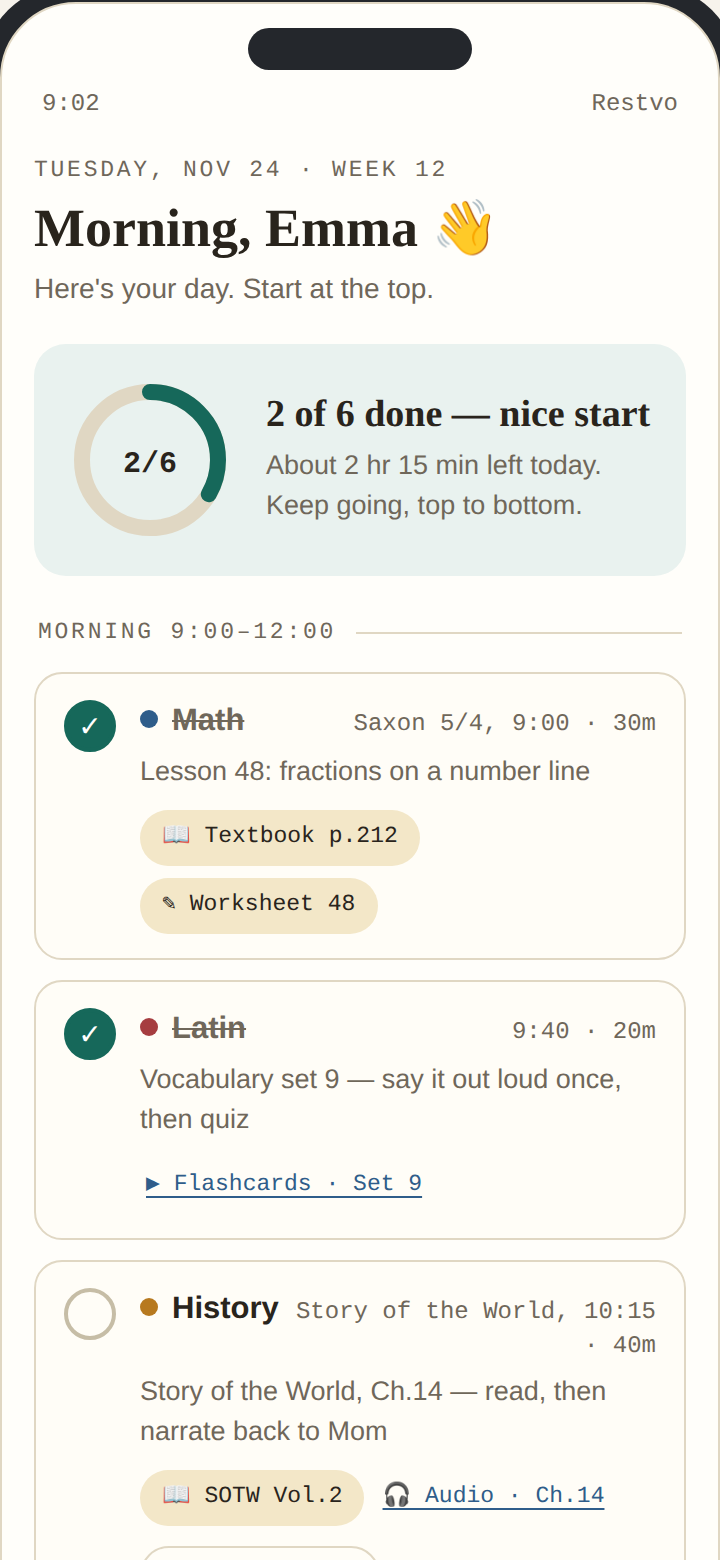
Work the Today list
Lessons in the order the day runs, each with its materials attached — the chapter to read, the video to watch, the worksheet to print. Nothing to hunt for, nothing to set up.
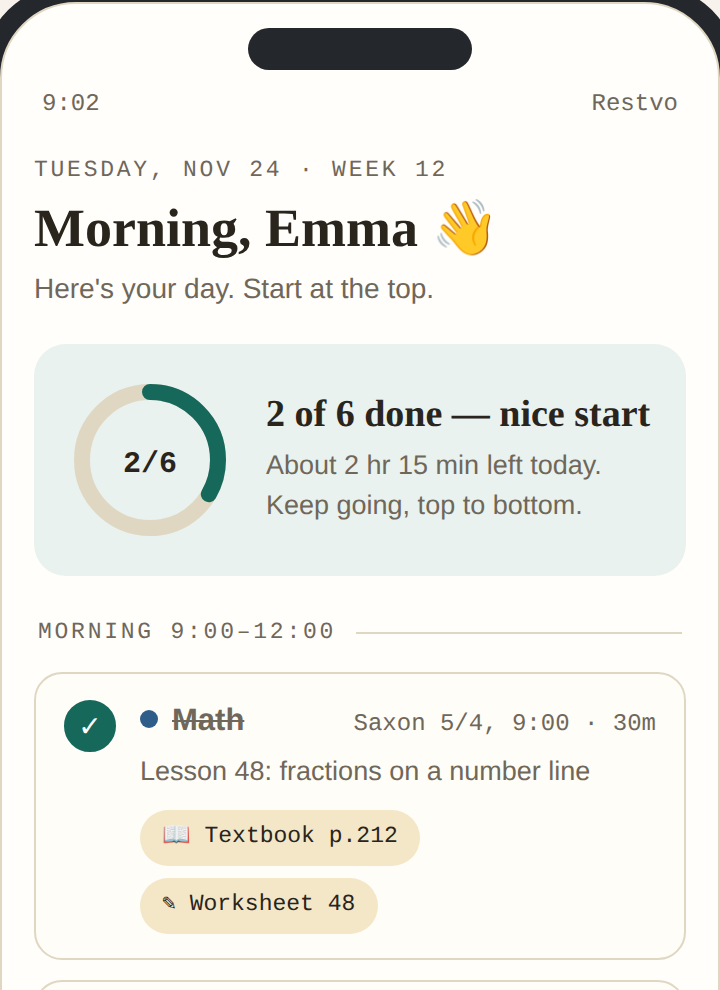
Tap it done
Finished? One tap, and the lesson is checked off — your educator sees it the moment it happens. Stuck, or the day went sideways? Postpone it, or flag it as needing help, and it lands on the educator’s needs-you list instead of quietly disappearing.
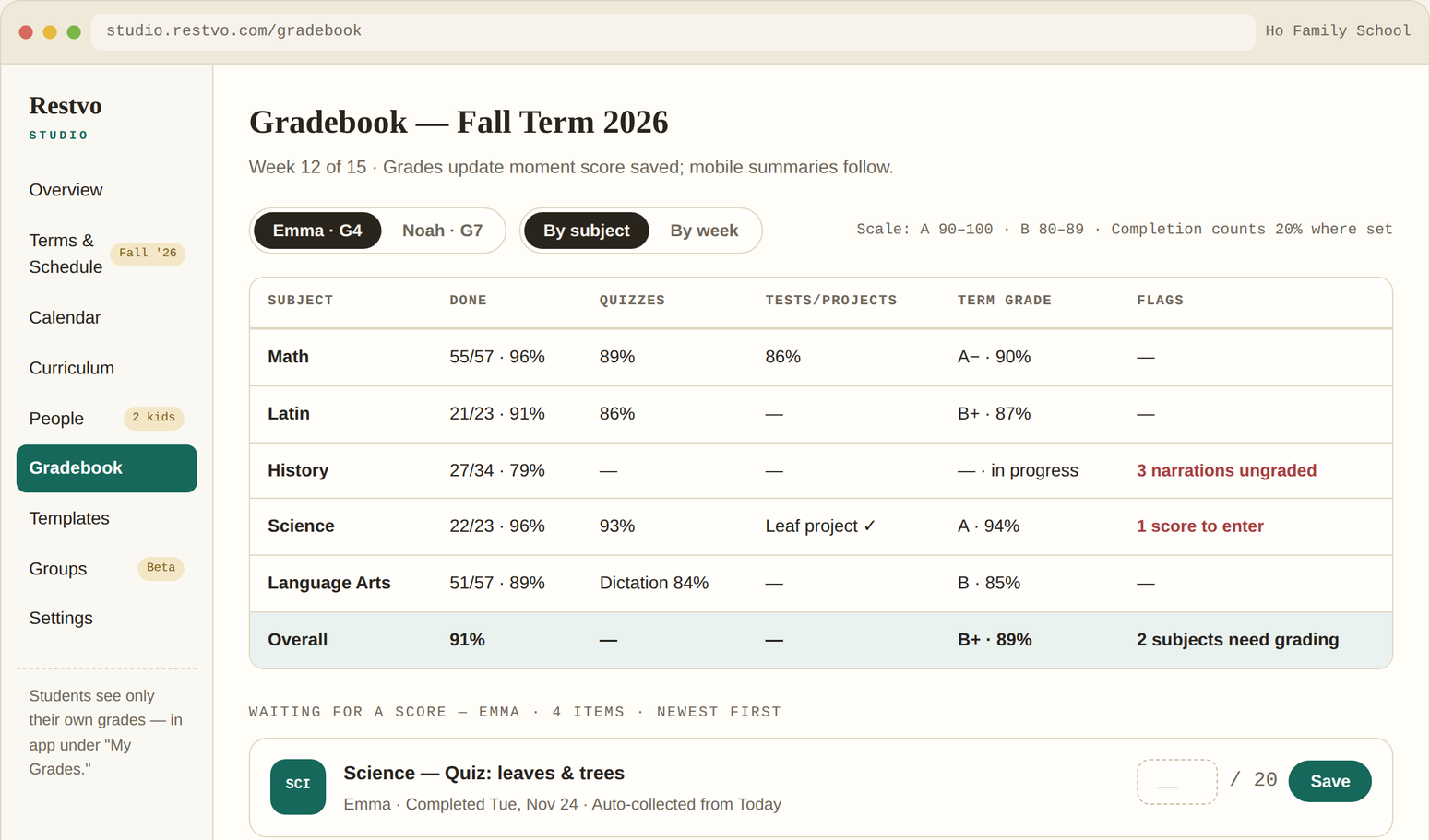
See your own grades
Grades appear as the educator records them — per subject, per lesson — along with the feedback written on answered exercises. A student always knows where they stand, and what to work on next.
Lessons, in Full
The lesson itself is in the app.
Most lessons carry a full lesson body. The student expands the “Lesson” card and the teaching is right there: the concept explained with worked examples, exercises with a textbox for each answer, and the reading the exercises work on, printed in full — no separate textbook to fetch.
Answers are saved as they are typed, and they go to the educator for grading. The standard answers are never shown to students — those live on the educator’s side, where they belong.
What’s inside a lesson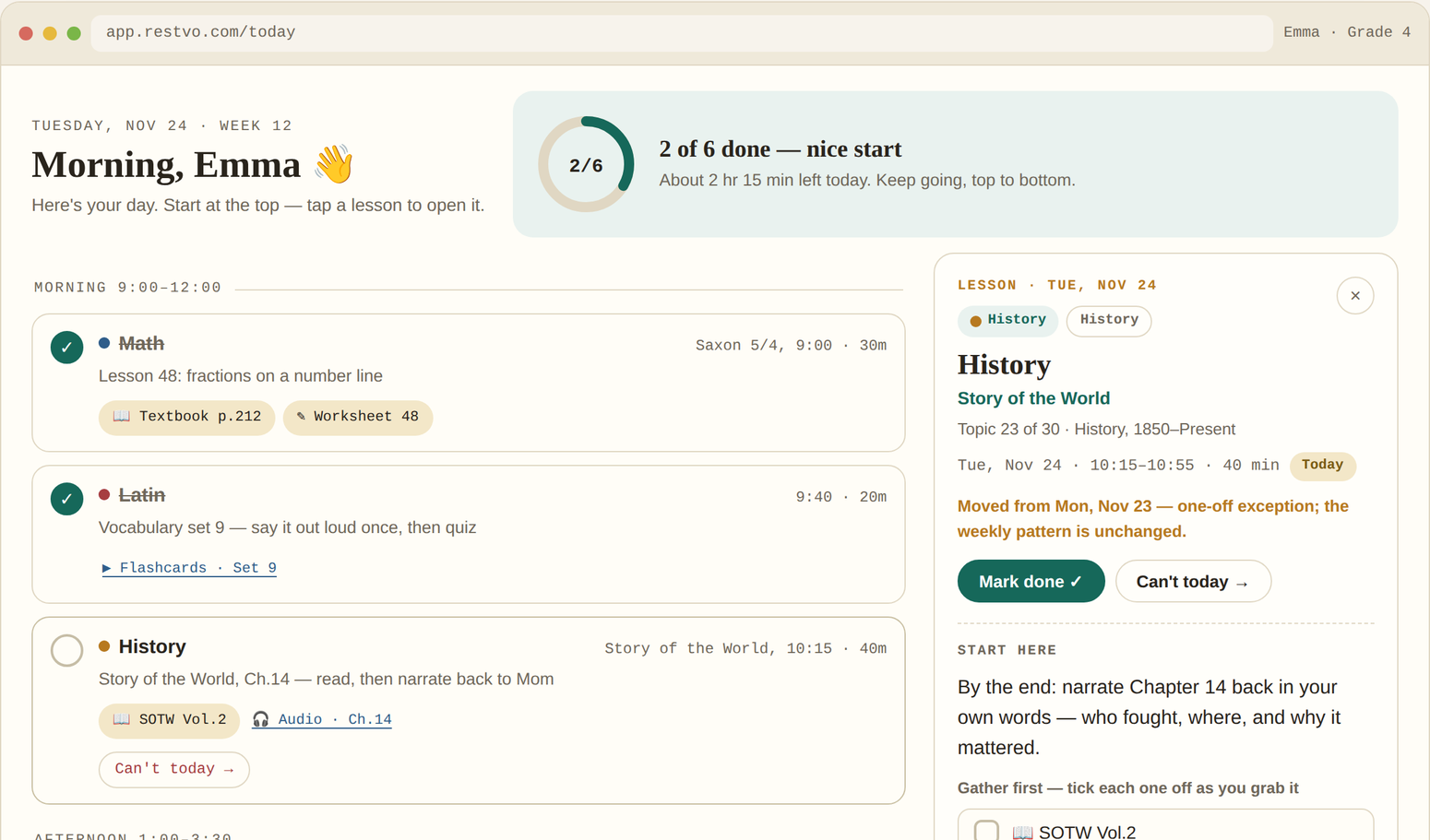
For Educators, Too
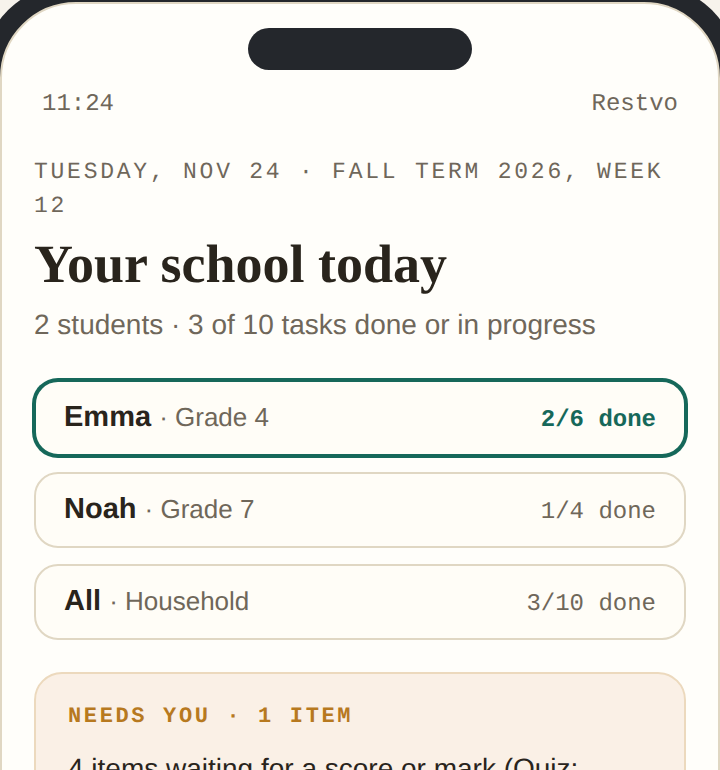
Your whole class, in your pocket.
The Companion is not only for students. As the educator, your home screen is today across all your kids: who has started, who is finished, who is stuck — with progress and grade summaries per child.
Light touches live here: mark a lesson done, postpone one, answer a needs-you flag. Anything structural — new subjects, new times, a new term — deep-links you to Studio Mode, where that work belongs.
See Studio ModeWhen the day changes, nobody has to guess
A lesson that cannot happen today is a decision, and Restvo treats it like one. Moving a lesson to another date files a decision card for the educator — keep it where it is, or propose another day — written out in plain words, so what happened to the plan is never a mystery. Moving a whole plan forward is simpler still: one information card, one OK. The plan stays honest, and the guilt stays out of it.
Put today in their hands
Companion Mode is free on Google Play. Set up the term in Studio Mode, hand each child their code, and school starts tomorrow morning.
Get the App